
How to set up your league, step by step
Everything an organiser does on PrediSportsHQ, in the order you'll do it, with a picture of each screen. Starting the league takes about five minutes. Most of the rest you only do once.
By the PrediSportsHQ team, 9 min read, updated 13 October 2026
In short
- Start the league at predisportshq.com/start/create.
- Put in your contact email and check the points.
- Send the link to your group.
1. Start your league
Go to predisportshq.com/start/create. You don't need an account yet: you fill in the league first and make the account at the end.
Give it a name. The web address is made from the name as you type, so “Sunday Strikers” becomes predisportshq.com/sunday-strikers. That address is what your players will open, so pick a name you're happy to see in a group chat.
Choose the competition. The Premier League, La Liga, Serie A, the Bundesliga, Ligue 1 or the Champions League. Fixtures and results arrive by themselves every night, so you never type a score. The competition can't be changed once the league exists, so choose the one your group actually talks about.
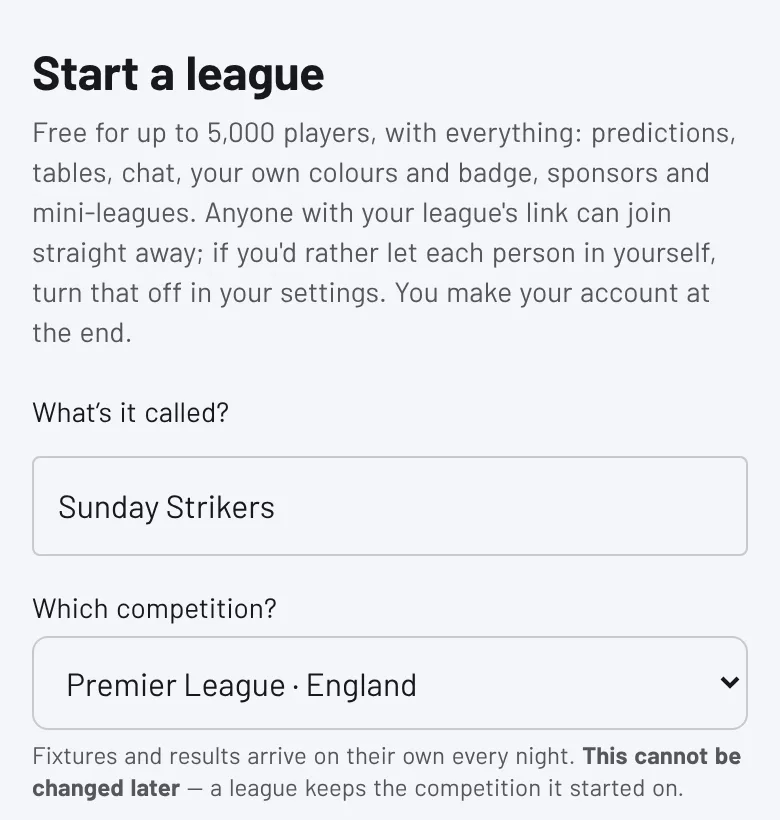
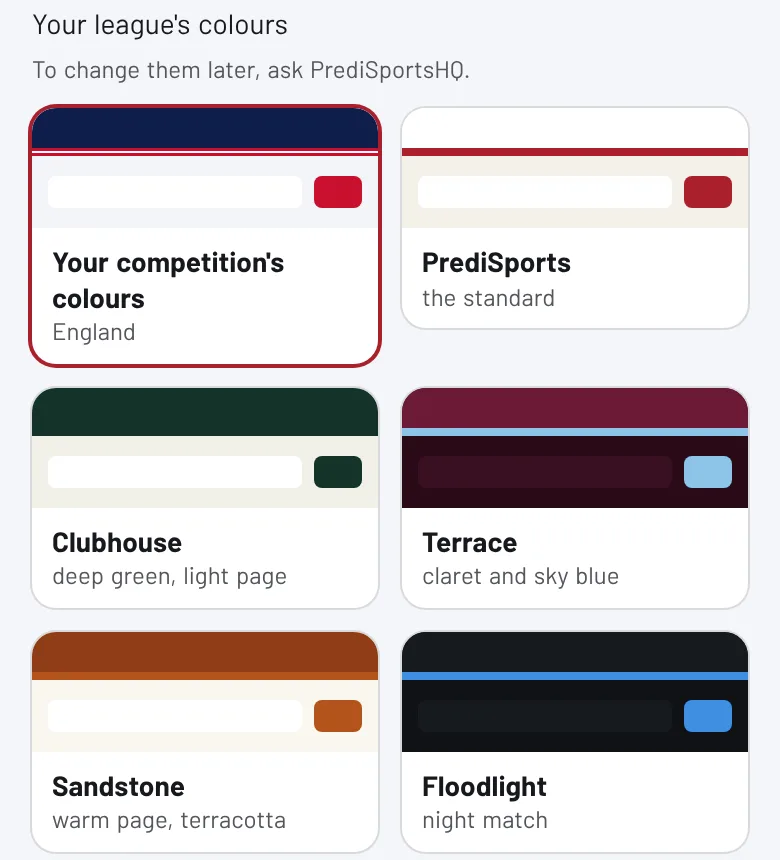
Pick your colours. “Your competition's colours” dresses the league in its competition's kit (white and navy for the Premier League, for example). Or pick one of the other looks.
Choose how points work. There are two to start from:
- Classic (bullseye bonus): big points for the exact score, more for a high-scoring game, and points taken off the further out you are. A wrong result or a missed match costs points, so the table moves a lot.
- Simple 3-1-0: 3 points for the exact score, 1 for the right result, nothing otherwise. Easy to explain in one message, and nobody goes below zero.
Each card shows what a 2-1 would score. You can fine-tune every number later, up until the first match is scored (step 4).
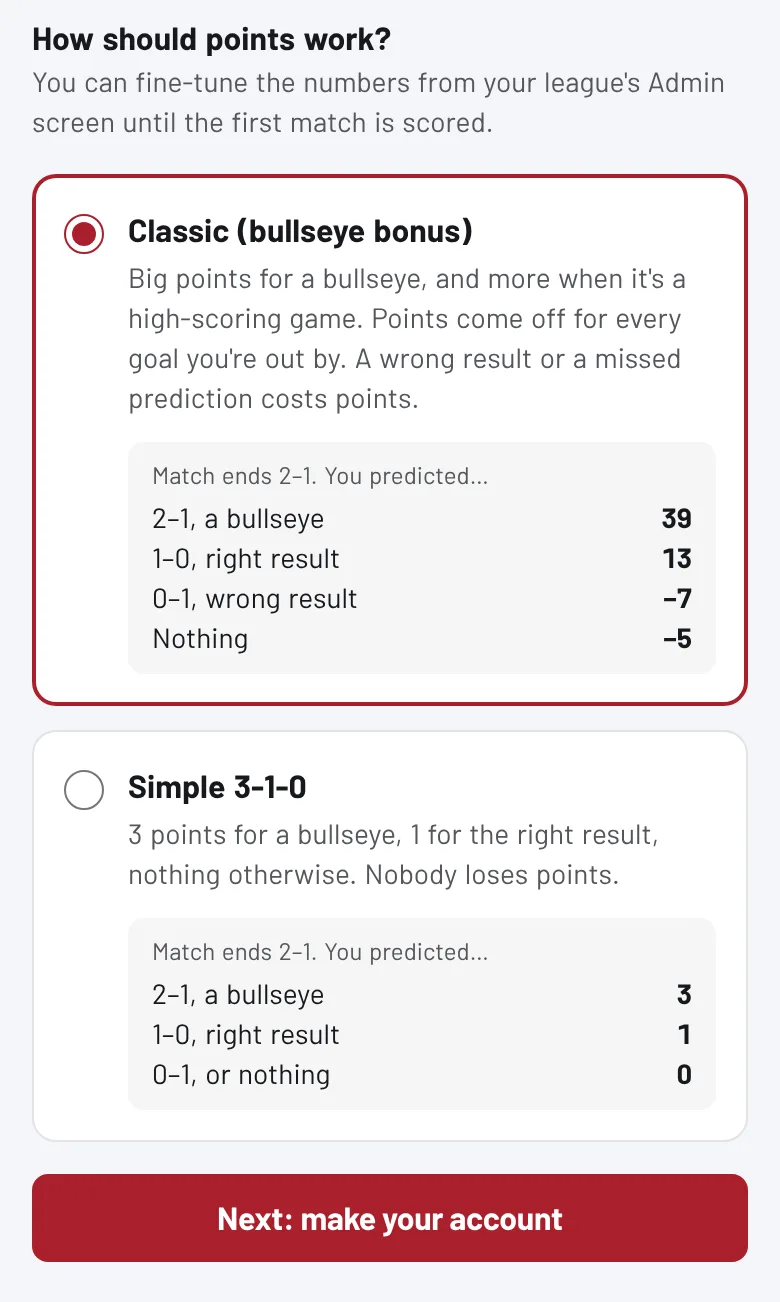
Press Next: make your account. If you already have an account, you'll see Create my league instead, and the league is made straight away.
2. Make your account
There are two ways to sign up. Either way, what you filled in is kept while you do it.
- Continue with Google. The quickest. You'll see one short “Nearly there” screen to choose the name other players will see and to accept the terms, and then your league opens.
- With your email address. Fill in the form, then open the email we send and press the link to confirm your address. Then log in on the same phone or computer you started on, and your league is made the moment you do. If you log in somewhere else, the league won't be there yet: go to predisportshq.com/start/create on that device and fill it in again, which takes a minute.
Your league opens on its fixtures page, ready to play. If somebody else took your web address while you were signing up, you're given the nearest free one, and your Admin screen says which.
3. Find your Admin screen
Everything you do as the organiser happens on your league's Admin screen. Only you (and anyone you make a co-organiser) can see it. On a phone it's the last button on the bar at the bottom of every page. On a computer it's in the menu.
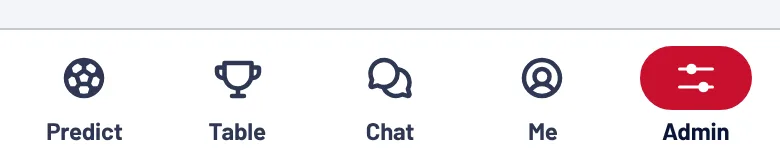
The Admin screen has five tabs:
- Today: anything that needs you now, and your invite link.
- Players: everyone in your league, and what you can do for each one.
- Messages: announcements to phones, the league chat, and ready-made WhatsApp messages.
- Stats: who's playing, and the pictures to share after each round.
- Set-up: points, badge, sponsors, mini-leagues and your settings.
4. Before you send the link
Three things take a couple of minutes and are much harder to sort out once people have joined.
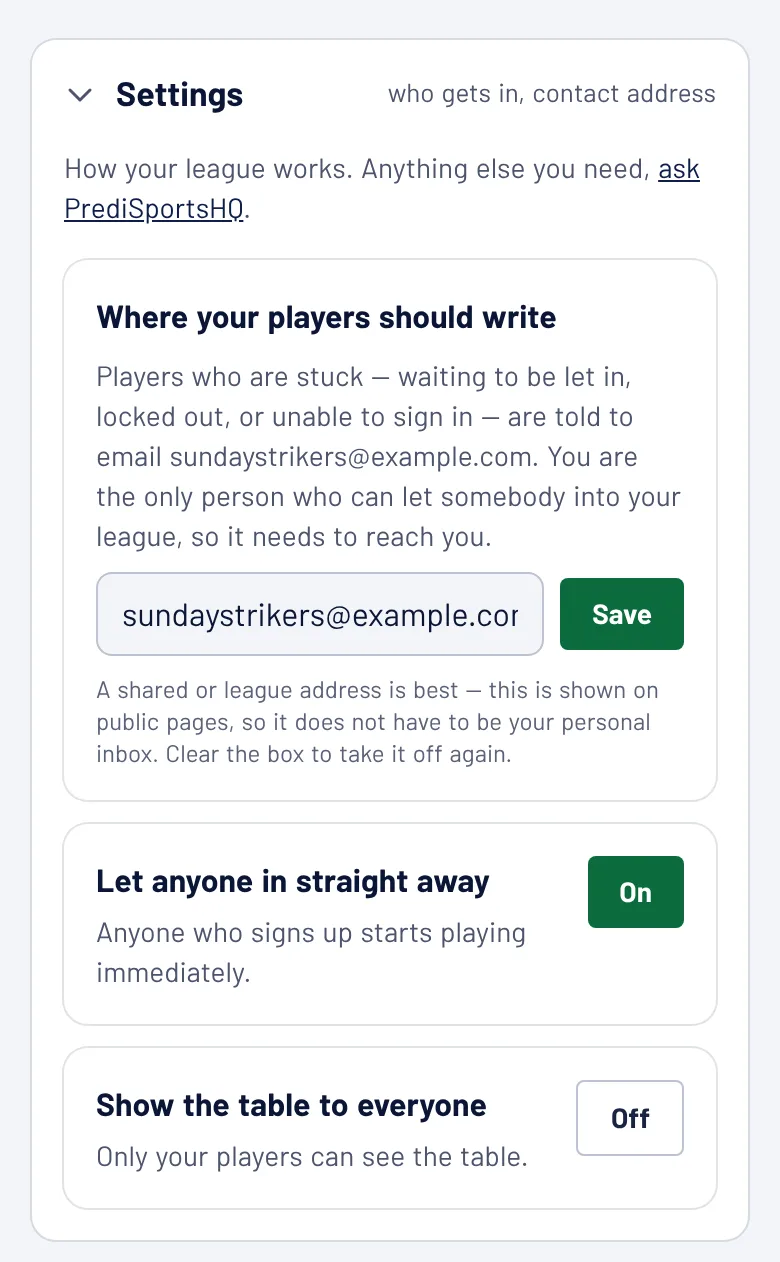
Put in your contact email. Go to Admin, then Set-up, then Settings. Under Where your players should write, add an email address for your league and press Save. Players who are stuck (waiting to be let in, or unable to sign in) are told to write there. Until you fill it in, they're told to write to PrediSportsHQ, and we can't let anybody into your league. A shared address is best, because it's shown on public pages.
Decide who gets in. In the same place, Let anyone in straight away is On for a new league, so anyone with the link starts playing at once. That suits a group of friends. For an office, a club or a public page, where the link might travel further than you want, press the button so it says Off. New sign-ups then wait until you let them in (step 6).
Show the table to everyone is the third switch. Off, only your players see the table. On, anyone can, signed in or not.
Check the points. Go to Admin, then Set-up, then Points. Choose a starting point (Classic or Simple) and change any number you like. The box at the bottom shows what each guess would score for a match that ends 2-1, so you can see the effect before you press Save points.
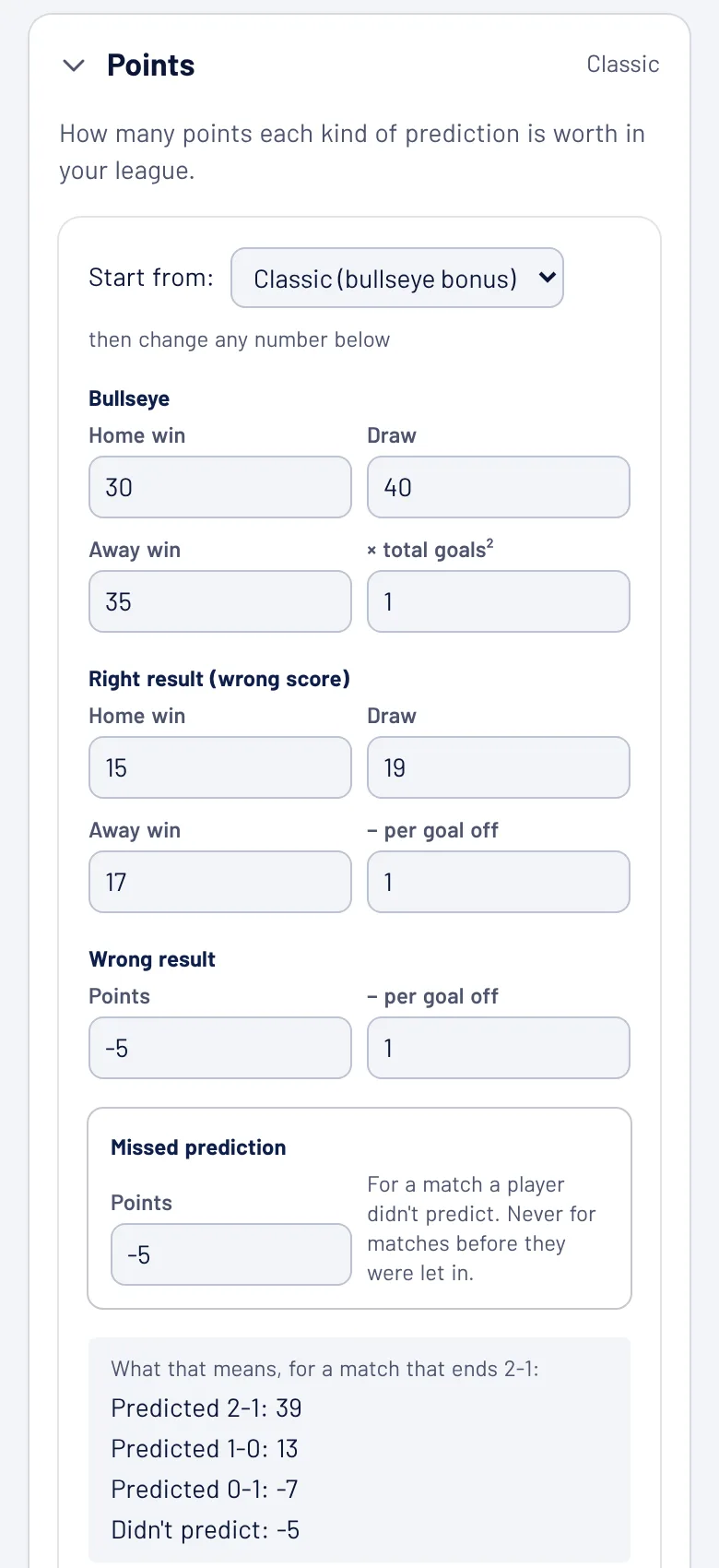
Once a match in your league has been scored, the points are fixed for the season, because changing them would rewrite everybody's total. Your How to Play page always shows your league's own numbers, so players can check them. The one number you can still change mid-season is the missed prediction: what a player gets for a match they didn't predict. A change there only counts for matches from then on.
Two more things change the points, and your players will ask about both:
- The Golden Pick. Each player can double their points on one match each round. They choose it on the fixtures page, and it locks when that match kicks off. You don't have to set it up.
- Knockouts ×2 (Champions League leagues only, under Admin, then Set-up). Both semi-final legs and the final count double. You can switch it until the first semi-final kicks off. Those rounds have no Golden Pick, so nothing ever counts more than double.
There's more on each way of scoring, with worked examples, in how the points work.
5. Invite your players
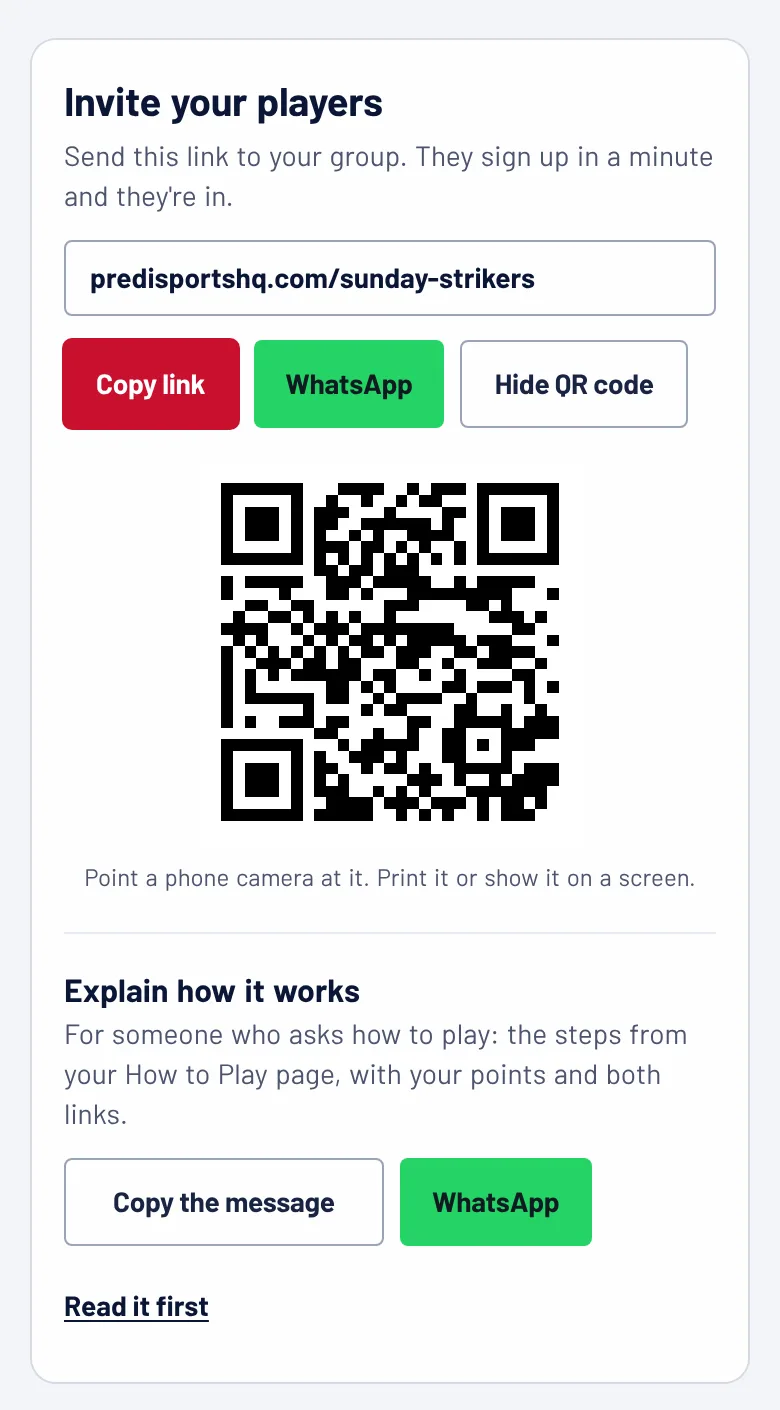
Go to Admin, then Today, and open Invite people (it starts open while your league has fewer than five players). You have three ways to send your link:
- Copy link, to paste anywhere: a group chat, an email, a team sheet.
- WhatsApp opens WhatsApp with a short invite already written. Pick the group and send.
- QR code, for a noticeboard, a pub table or a screen in a meeting. A phone camera opens the league.
Underneath, Explain how it works gives you a ready-written message with the steps to play, your league's own points and both links. Send it to anyone who asks “so how does this work?”, or straight after the invite.
It helps to send the link with one line saying when the first deadline is. “First games Saturday, predictions close at kick-off” gets more sign-ups than a link on its own.
6. Let people in and look after them
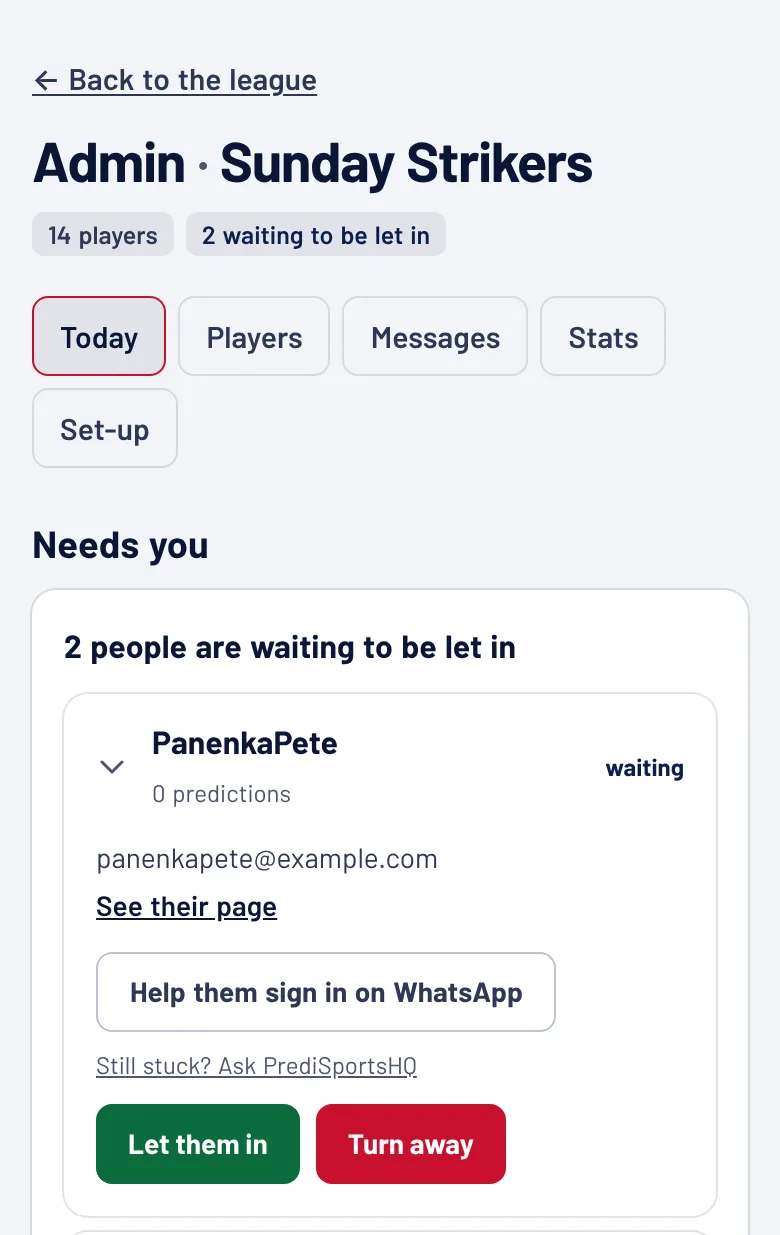
If you switched off Let anyone in straight away, new sign-ups appear on Admin, then Today, under “waiting to be let in”. Press Let them in or Turn away. They can't predict until you do.
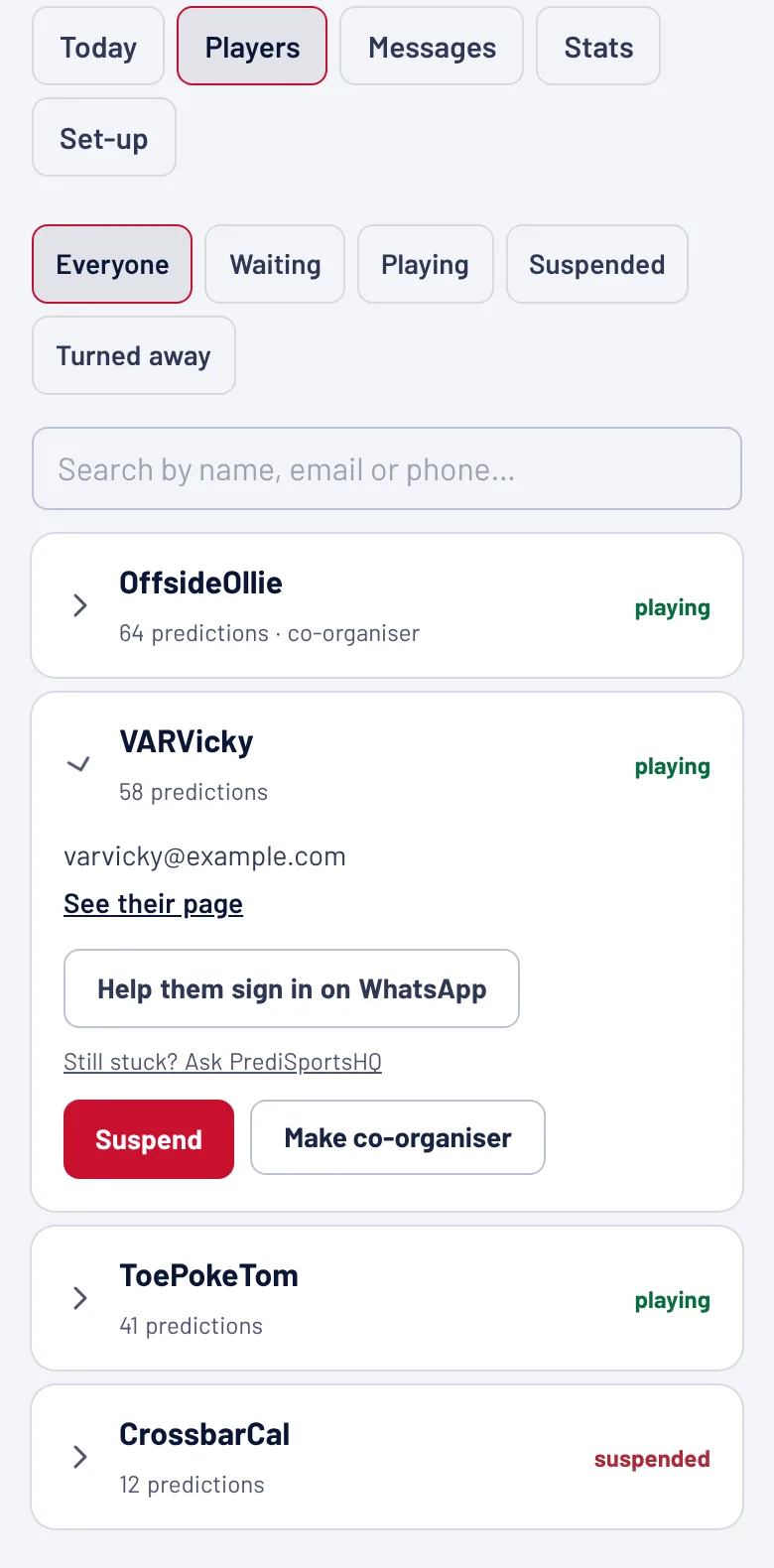
Admin, then Players, lists everyone, with filters for Waiting, Playing, Suspended and Turned away, and a search box. Tap a name to see what you can do:
- Suspend takes someone out of the tables. Their predictions and points are kept, so Put them back restores everything.
- Make co-organiser lets someone help you run the league: letting people in, settings and sponsors. Only you can make or remove a co-organiser.
- Help them sign in on WhatsApp is for a player who's locked out. It opens WhatsApp on your phone with a message pointing them to your league's “forgot password” page. The new password link goes to their own email, never to you. If that still doesn't work, Still stuck? Ask PrediSportsHQ writes to us with the details filled in.
People who join after the season has started begin on zero. They're never marked down for matches played before they were let in.
7. During the season
The rest of the Admin screen helps you keep everybody predicting until May.
Nudge the people who haven't predicted. While a round is open, Admin, then Today, shows how many players have finished it and lists the ones who haven't. Press the WhatsApp button next to anyone who gave a phone number to send them a reminder, or copy all their numbers at once. Players with phone alerts on also get a reminder a couple of hours before each kick-off, without you doing anything.
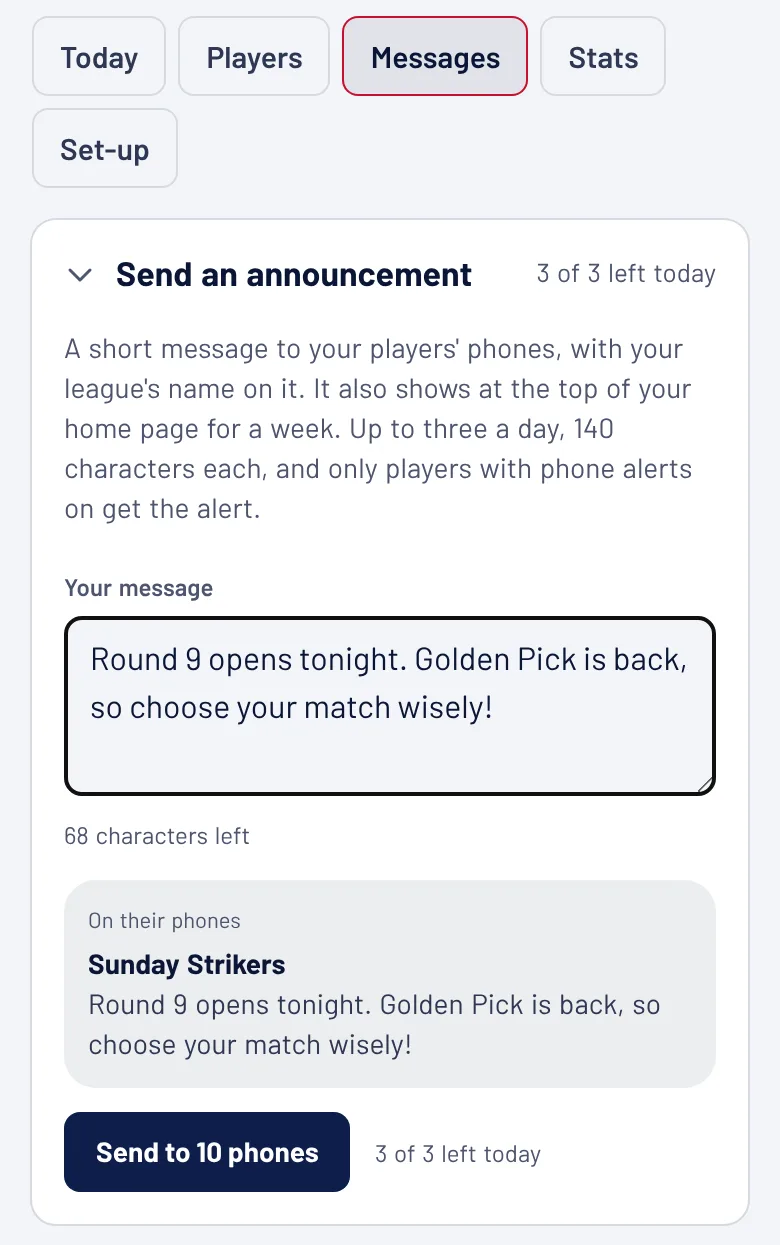
Send an announcement. Go to Admin, then Messages. Write up to 140 characters and it goes to the phone of every player with alerts on, under your league's name. It also sits at the top of your league's home page for a week. You can send three a day. If you spot a mistake, you get one correction within 15 minutes that doesn't count towards the three, and you can edit or take down the home-page notice at any time without sending anything.
Use the ready-made WhatsApp messages. Further down Messages there are messages for the group chat, already written from your league's own numbers: who still hasn't predicted, a recap of the last round, a reminder for the next one, and an invite for new players. Copy one and paste it.
Post the pictures after each round. Go to Admin, then Stats, then Pictures to share. There are four ready-made pictures each round: the round in one picture, how the league called one match, the biggest movers and the title race. For four days after a round, Today has a card saying they're ready. Drop one in the group chat and people start arguing about the table. The movers and the title race start from your league's second round.
Look after the chat. Your league has its own chat. Admin, then Messages, then League chat lets you slow it down, make it so only you can post for a while, see messages players have reported, and mute someone.
Let players make mini-leagues. Any player can start a mini-league inside yours, for one office floor, one family or one five-a-side team, from Mini-leagues in the menu. It uses the same predictions and points, with its own table. You can see them all under Admin, then Set-up, hand one over to somebody else or delete it.
8. Your badge and sponsors
Your badge. Under Admin, then Set-up, Your badge lets you upload a picture (a club crest or a company logo; square works best). It sits in the top bar of every page, next to your league's name, and you see a preview before you save.
Sponsors. If a local business wants to back your league, add them under Admin, then Set-up, then Sponsors, with their name, website and logo. They get a sponsors page, and you can give each of three “presented by” spots (on the fixtures, the table and the home page) to one sponsor. Any arrangement is between you and them. PrediSportsHQ never handles money, entry fees or prizes for any league.
Questions organisers ask
Does it cost anything? No. Every league is free, with every feature, for up to 5,000 players. PrediSportsHQ is paid for by adverts on the site.
Can I run more than one league? One account starts one league. If you need a second (one for the Premier League and one for the Champions League, say), get in touch and we'll set it up.
When do predictions close? Each match closes at its own kick-off, so a player can predict Saturday's games on Friday and Sunday's on Sunday morning. Nobody can see anyone else's prediction until that match has kicked off.
When do the points appear? Results come in overnight, and the points and tables update with them.
Can I change the colours later? Not from your Admin screen yet. Ask us and we'll change them for you.
Can I change the competition? No. A league keeps the competition it started on. For a different competition, start another league.
Can I charge an entry fee or give a prize? There's no way to take money through PrediSportsHQ, and we'd steer you away from collecting it yourself: in the UK, for example, a paid-entry prediction game counts as betting. A prize paid for by a sponsor is the simplest way to keep it clean.
What do my players need? Just a phone or a computer with a web browser. There's nothing to download. Players can add the league to their home screen like an app and switch on phone alerts, and How to Play explains both.
Something isn't working. Tell us, with your league's name and what happened.
For advice on running a league well (choosing the points, getting people in, and keeping it going after the first few weeks), read how to run a football prediction league.
More guides
By competition: Premier League · La Liga · Serie A · Bundesliga · Ligue 1
Ready to run one? A league on PrediSportsHQ is free, with every feature and no card.
Start a league